

Spring Boot & Jaeger in Action!
🍃💻 Spring Boot + Observability (OpenTracing) showcase

In the DevOps space, Observability is crucial to maintain a healthy and reliable solution. With logs, metrics, and traces, you can implement a setup that takes you from fixing your code issues on production to foreseeing issues before they even happen.
I developed a small Spring Boot microservice for this showcase that consumes data from two external APIs. In front of this service, I implemented a simple API-Gateway to accept and authenticate requests. Both services communicate with each other and produce traces to be visualized later on via our observability setup (Jaeger UI).
Prerequisites and external dependencies
JDK17 & Gradle 7.5+
Docker & Docker-compose
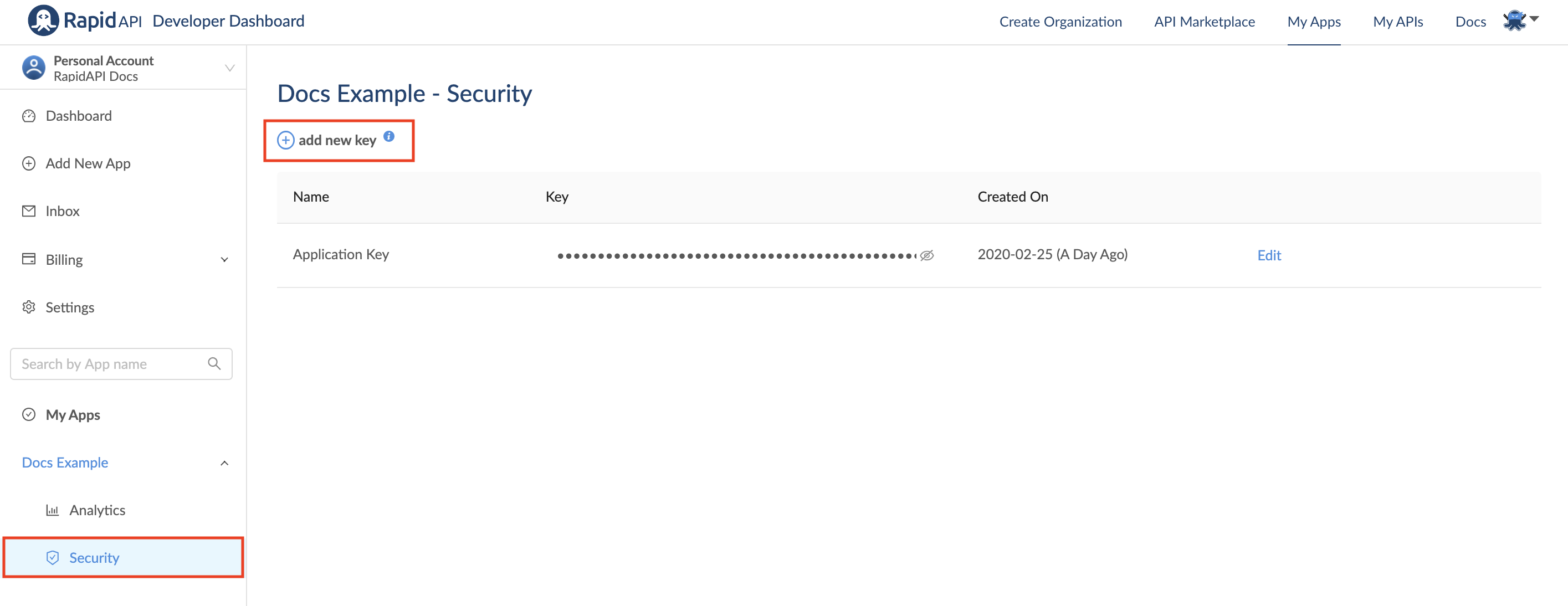
rapidapi.com API key (Developer dashboard)
Setting up Spring with OpenTracing
Java with Spring Boot provides a solid base to make it among the easiest technologies to instrument traces and visualize them using any UI of your choice. In this case, it will be Jaeger!
- For starters, pick your instrumentation and add it as a dependency:
implementation 'io.opentracing.contrib:opentracing-spring-jaeger-cloud-starter:3.3.1'
- In this case, we will have out-of-the-box support to get traces for all requests to the API Gateway. For other services, add these beans:
    @Bean
    public RestTemplateBuilder restTemplateBuilder() {
        return new RestTemplateBuilder();
    }

    @Bean
    public RestTemplate restTemplate(RestTemplateBuilder builder){
        return builder.build();
    }
- Now to the cherry on top, taking into consideration that you have your Jaeger instance up and running, you will need to add Opentracing configuration to your application.yaml
opentracing:
  jaeger:
    http-sender:
      url: ${JAEGER_URI:http://localhost:14268/api/traces}
Run a full example
To get everything up and running, you will need the Rapidapi API Key that we mentioned as a prerequisite here. Then you need to subscribe to these two APIs:
Then, here is an ad-hoc docker-compose file to run the full example locally.
export RAPIDAPI_KEY=YOUR_KEY_HERE
docker-compose up
Now, call the api-gateway:
curl --location --request GET 'localhost:8081/random-meme/' \
--header 'Authorization: Basic YWRtaW46cGFzcw=='
Summary
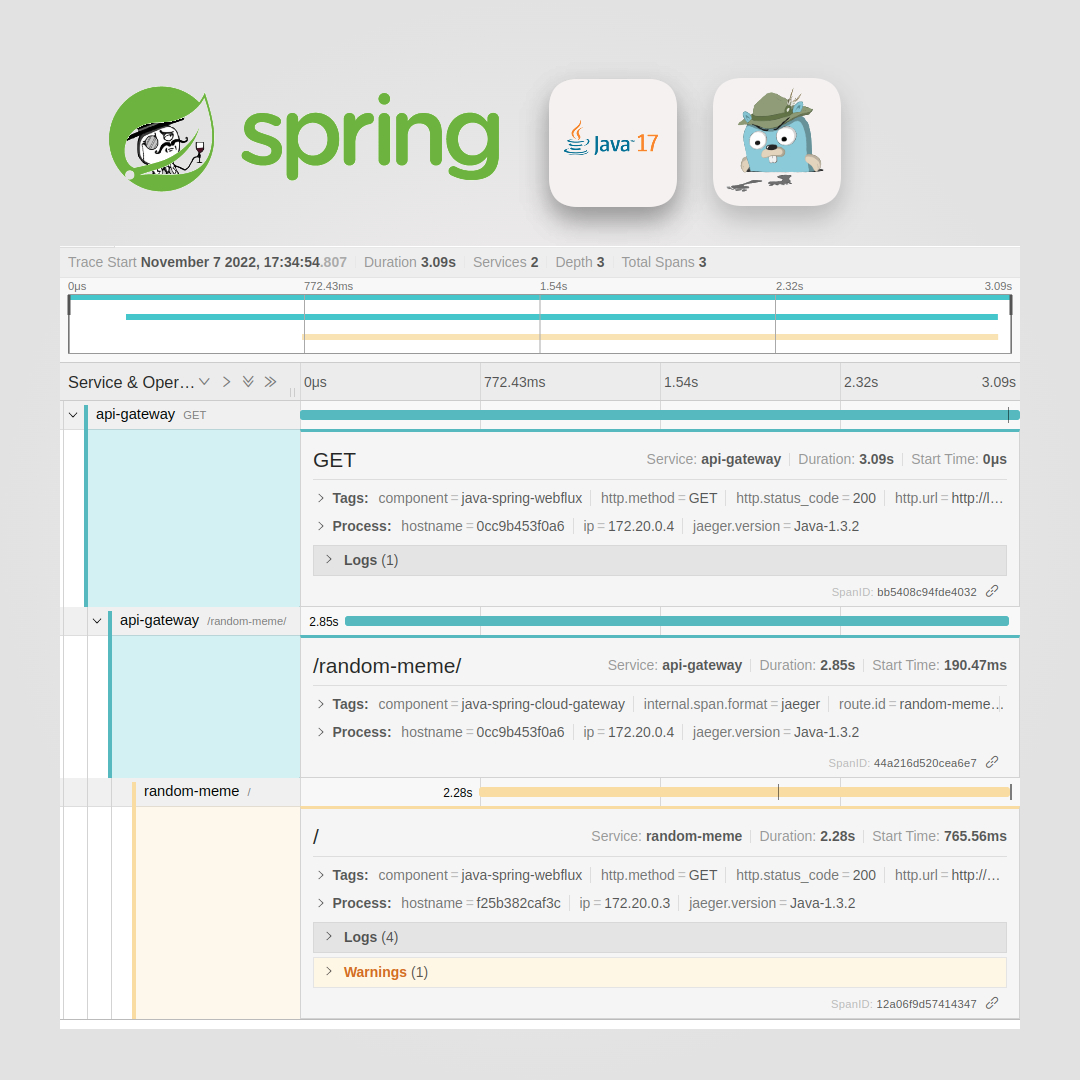
Throughout this showcase, we utilized Spring framework to develop a reactive-web microservice and an API-Gateway. Following that, we dockerized these services and orchestrated them to have a running example. Finally, here is what to expect on JaegerUI after calling the services.
Resources
To get a closer look at both services, the Spring Boot memes service and the API Gateway, follow these two links:
%[https://github.com/HasanKhatib/random-meme]
-
About the author
Father of two. DevOps Engineer. Interested in Cloud Development, Scalability, Java, CICD, and Seeking/Sharing Knowledge
Comments
Join the discussionNo comments yet. Be the first to comment.